
 UMHumh.appRunnable demo
Purchase orders tracked against the UMH factory floor
Paperless receives a purchase order and a workflow turns it into a Production Ledger. You approve it, the order goes to the UMH floor, and the floor's production counts are added to the ledger.
Document archive
- Purchase order BC-2026-0917
- Scanned PDF, OCR and classified
Powerhouse
- customer
- BuildCorp AG
- partNumber
- WIN-STD-A
- committedQuantity
- 320
- committedQualityPct
- 98.5
Approved by a reviewer
Good parts and scrap, every 15 seconds
Simulated factory floor
- Window-frame line
- Good parts, scrap and overall equipment effectiveness (OEE) per run
How it works
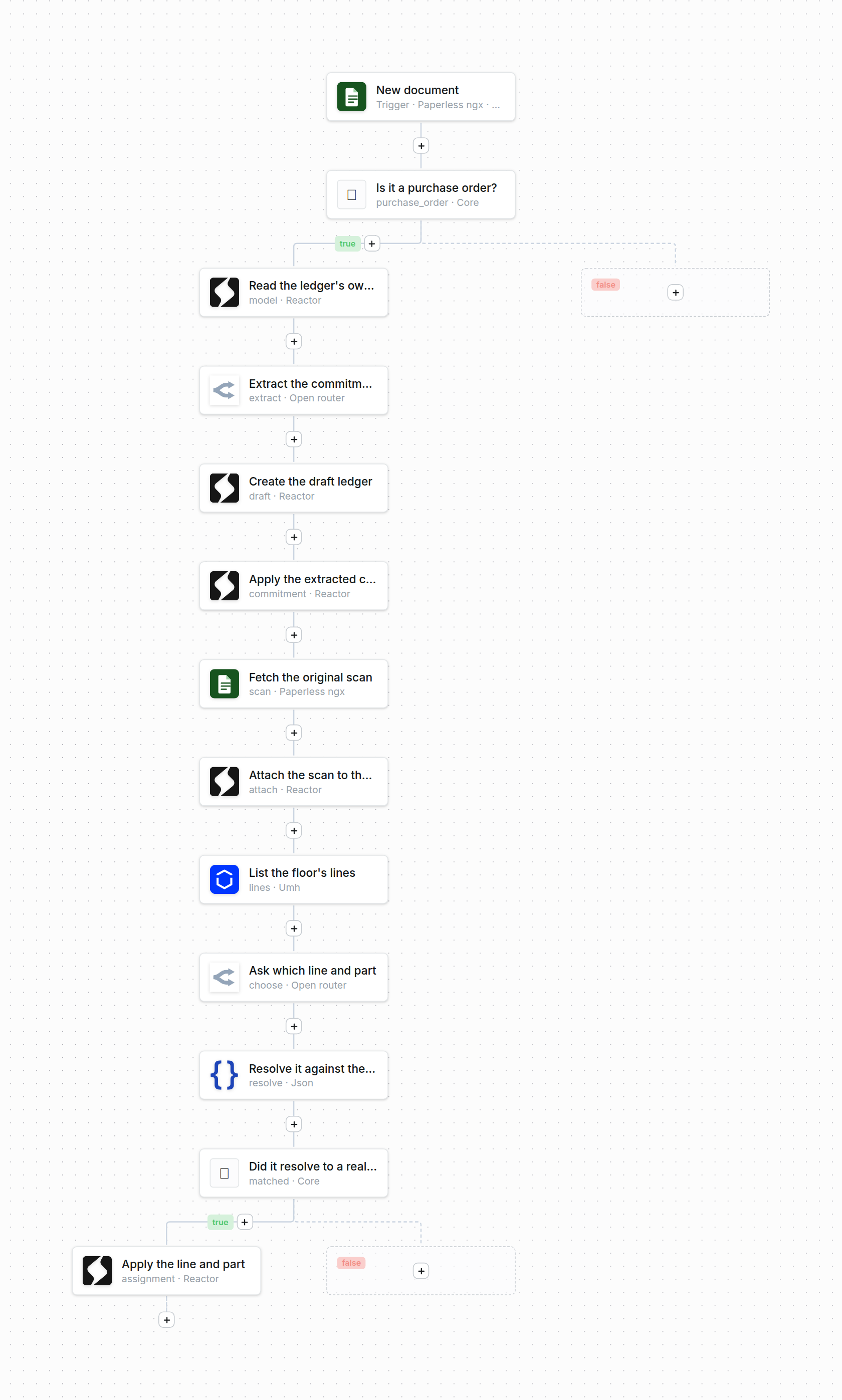
Three workflows built from Activepieces pieces connect Paperless, the Production Ledger and the UMH floor. Each one runs inside Powerhouse, and you can open and edit it in Workflow Studio. You make one decision: approve the order.
 Watch the film at full size
- 01
Paperless receives the purchase order
Upload the PDF or drop it in the consume folder. Paperless reads the text and tags the document as a purchase order.
- 02
A workflow drafts the ledger
A model reads the order into a Production Ledger: customer, part, quantity, quality floor and delivery date. The production line comes from the UMH floor's own list.
- 03
You approve it in Connect
Check each field against the original scan, correct what the model got wrong, then approve.
- 04
The order goes to the UMH floor
A second workflow creates the order on the floor, stores the order id on the ledger and opens it.
- 05
The floor reports back
Every 15 seconds a third workflow adds the floor's good parts and scrap to the ledger.
The UMH floor here is a simulator and the orders are fictional. The demo ends when the run completes: the ledger stays open with close-out pending.