
SpeckleEvery revision, measured and compared.
A building model's revisions become a record of its quantities and of what changed, element by element, while the geometry stays in Speckle.
Building modelsRunnable demo
The boundary
The geometry never leaves Speckle. Speckle already stores the model and draws it well, so the record holds only what Speckle does not keep: what each revision meant for the numbers, and when it happened.
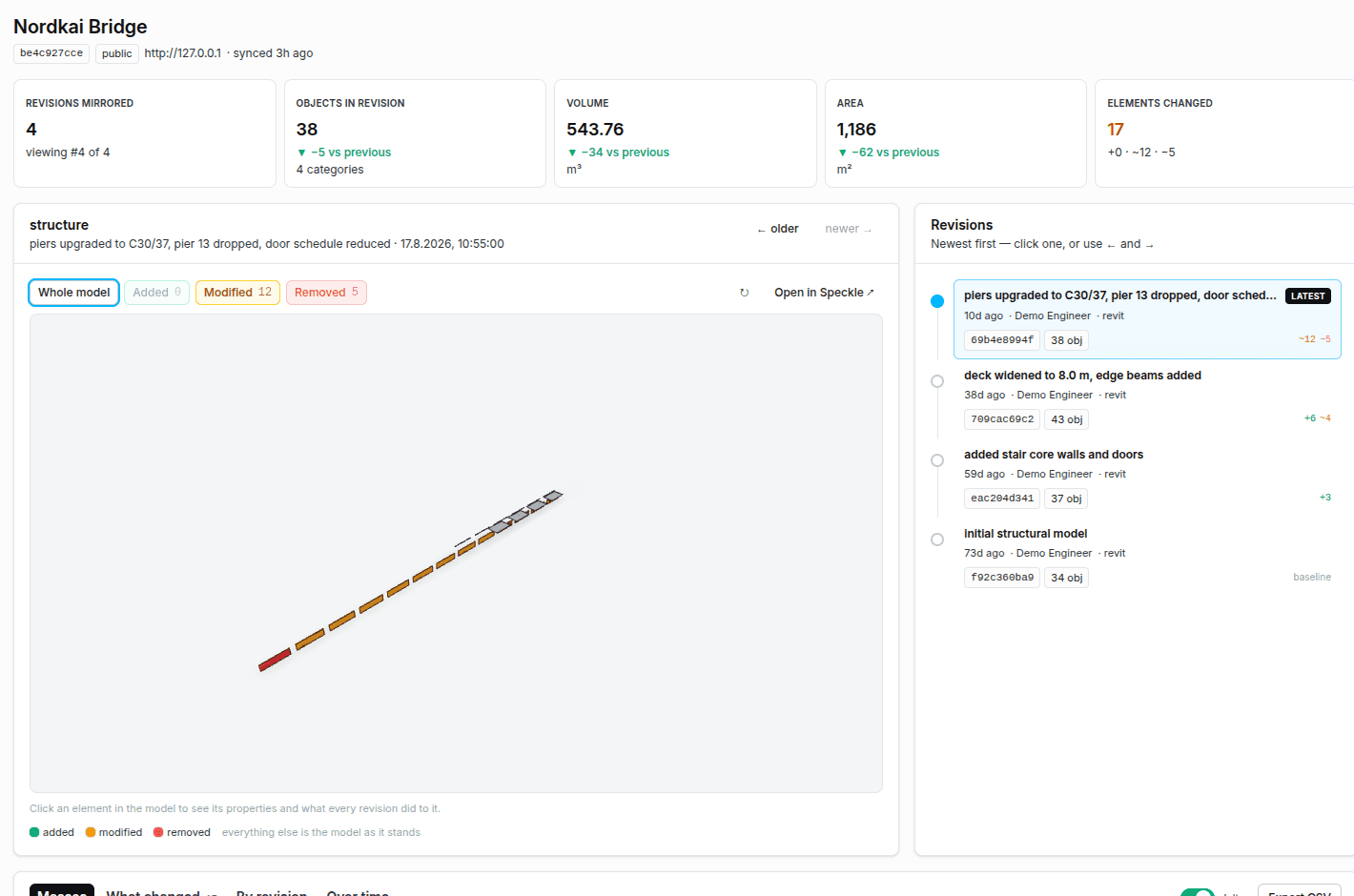
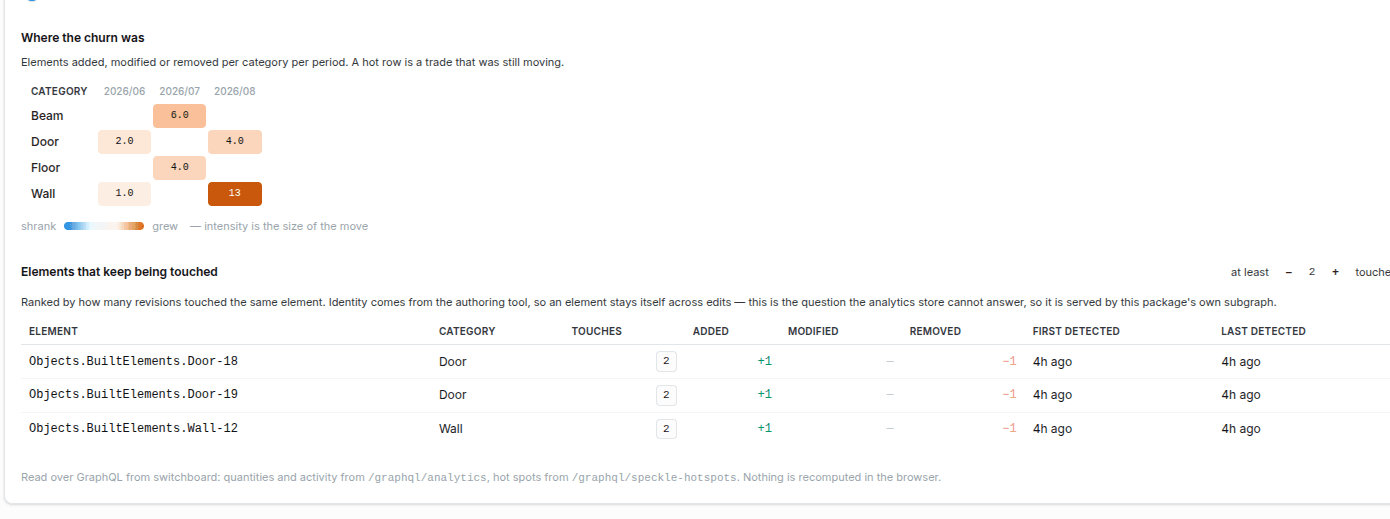
A change is keyed on the element's id in the design tool, not on Speckle's object id, which is a hash of the content. An edited wall therefore reads as one modification rather than a deletion and an addition, and its history follows it across revisions.
Rooms, storeys and display meshes are kept out of the totals. They carry quantities of their own, and adding the air in a room to the concrete in its walls gives a number that means nothing.
The sync runs with a service credential held on the Switchboard. A collaborator's own Speckle token stays private to them, is never shared with others on the drive, and is used only for checks in their editor.
What is Speckle?
Speckle is an open-source data platform for building and construction models. Design tools such as Revit and Rhino, and IFC files, publish into it, and each publish is a new version of the model. Speckle stores the geometry and draws it in the browser.
- Data in
- Models, revisions and element quantities
- Structure
- Per-category totals and a change entry per revision
- Access
- Reads Speckle. Nothing is written back
- Direction
- Speckle to Powerhouse, one way. The geometry stays in Speckle and is drawn from there.
How material gets in
- A Speckle project on your own server or a hosted one, named by server address and project id in the Sync Console.
- Models from Speckle's connectors and from IFC imports. Both ways of recording quantities are read, so an IFC building is totalled as well as a native model.
The document model
This is the structure the integration writes into. The fields are the same whether a person opens the record, an application queries it, or a scoped agent reads it.
- serverUrl
- URL
- The Speckle server the project lives on.
- projectId
- String
- The Speckle project this record mirrors.
- models
- Array
- Each model in the project, with its latest version and version count.
- revisions
- Array
- One per version: its message, author, source tool and object count.
- revisions.categories
- Array
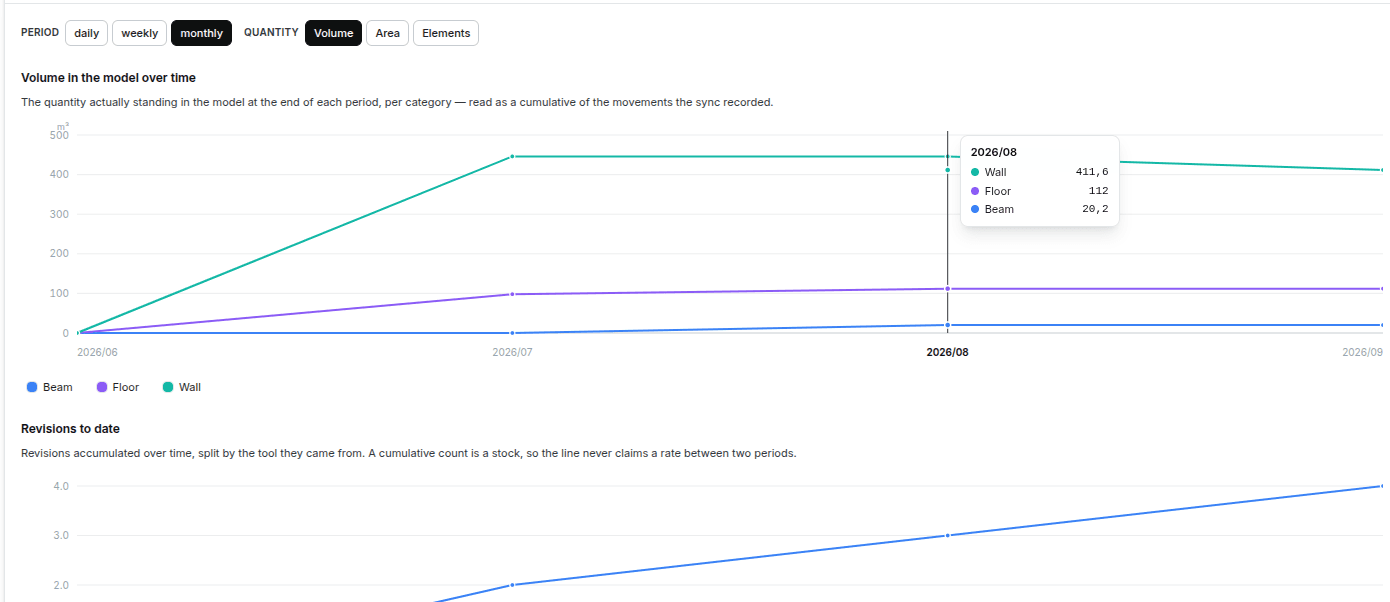
- Volume, area, length and count per category, for that revision.
- revisions.truncated
- Boolean
- Set when a revision hit the object cap, so a partial total is never shown as complete.
- changes
- Array
- One per pair of revisions: counts added, modified and removed, and the category deltas.
- changes.touchedElements
- Array
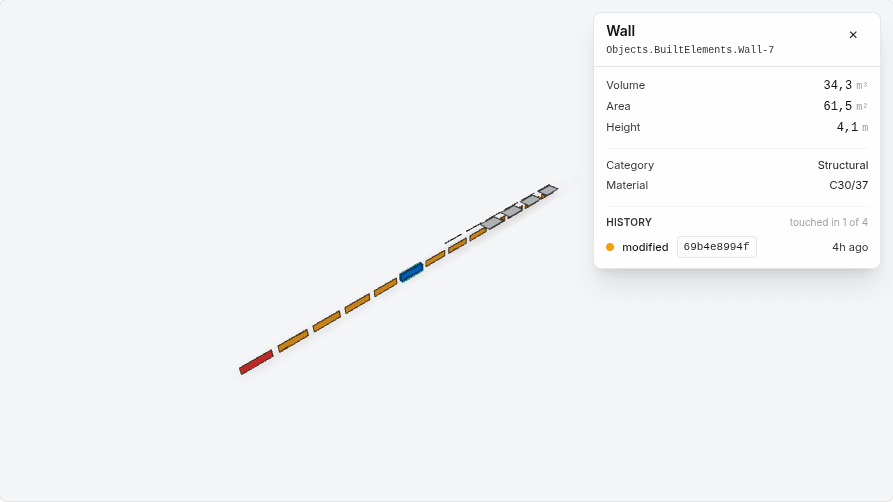
- Each element touched, keyed on the design tool's own id so it can be followed across edits.
Lifecycle
- SET_PROJECT_IDENTITY
- UPSERT_MODEL
- UPSERT_REVISION
- RECORD_CHANGE
Every transition is a signed operation on the record, so the history of the document is the audit trail.
How it runs
- 01ConnectIn the Sync Console, name the Speckle server and project, check that both resolve, and pick the record to mirror into.
- 02Request a syncRun sync records a request on the sync document. The sync runner on the Switchboard reacts to that request, not to a timer.
- 03Read SpeckleThe runner walks each model's recent versions and the objects in them, up to the caps set in the console. Versions it has already pulled are skipped.
- 04Total and compareEach revision gets its totals per category, and each pair of revisions gets the elements added, modified and removed.
- 05Write the recordThe results land on the Speckle Project record as operations. Writing the same revision again changes nothing, so a repeated sync is safe.
Where the result shows up
One record, reachable from several places. The archive keeps the original document, and the structured state is available wherever the work happens.
- Model Explorer
- The 3D model with its changes painted in, a revision timeline, quantities with deltas, and trends across the history.
- Sync Console
- The connection, a live check against Speckle, the caps, the run button and every run with its outcome.
- Speckle Workspace
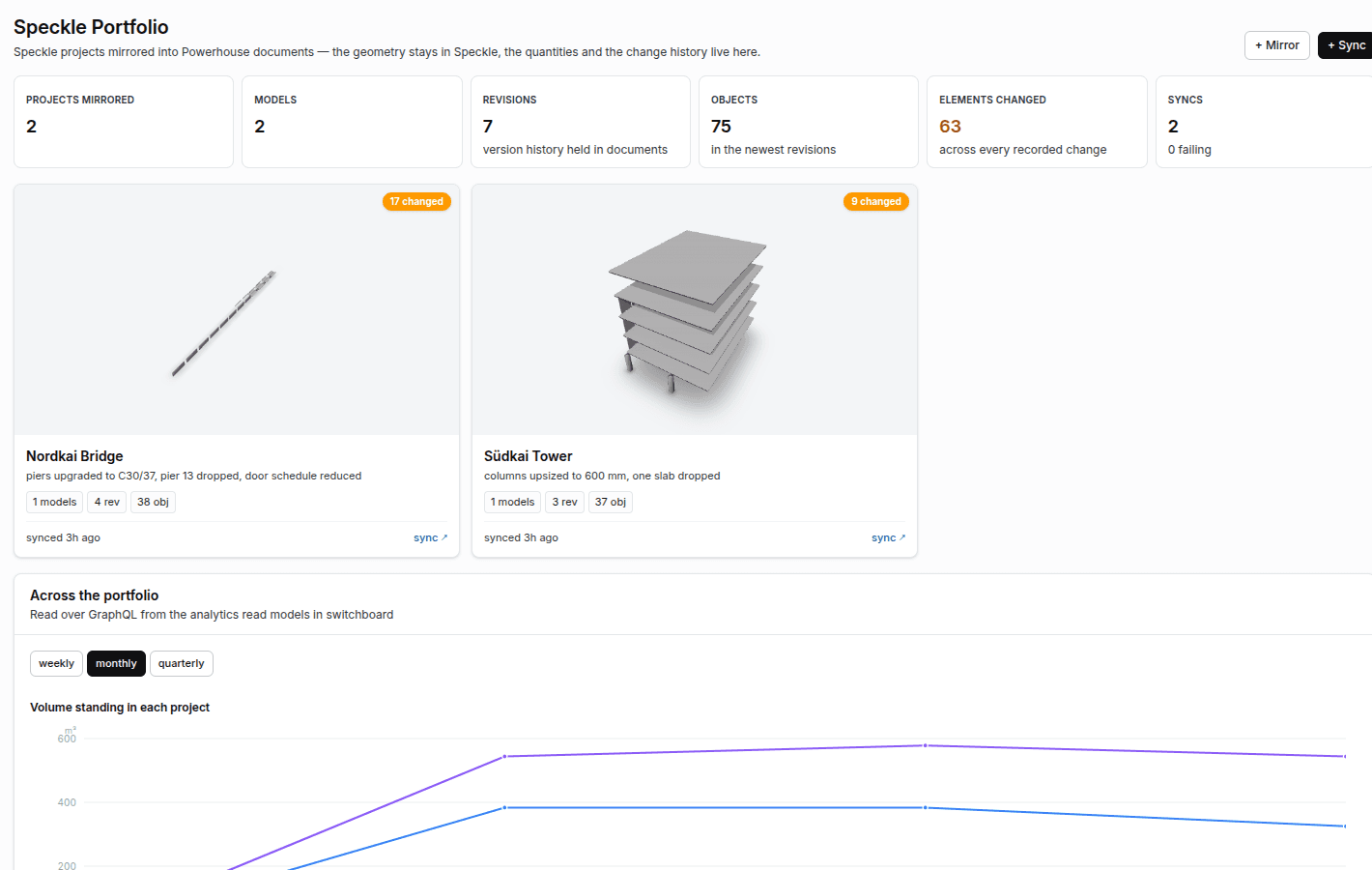
- Every mirrored project on the drive, drive-wide totals, and one feed of every model change.
- Switchboard
- Runs the sync, serves the records and the analytics over GraphQL, and ranks the elements that change most often.
Ask Switchboard for the elements that change most
{
  speckleHotspots {
    hotspots(projectDocumentId: "<mirror-id>", minTouches: 2, limit: 10) {
      identity
      speckleType
      touches
      added
      modified
      removed
      lastDetectedAt
    }
  }
}
Run it yourself
The example is published as a repository you can clone and run against your own reactor.
What you need
- A Switchboard with speckle-package installed. On Vetra Cloud, the 3D Models add-on installs it for the environment.
- A Speckle server: your own, or a hosted one such as app.speckle.systems. Speckle ships only as container images, so a local server needs Docker.
- A Speckle access token on the Switchboard for private projects. Without one, only public projects sync.
- For the full local demo: Docker with Compose v2, Node 24 or newer, and about 6 GB of disk.
Packages installed
- speckle-package
- Both document models, the sync runner, the analytics, the editors and the drive app, in one package on the Vetra registry.
- @speckle/viewer
- Draws the model inside the Model Explorer, so each element can be painted by what happened to it.
Limits worth knowing
- A sync starts when someone asks for one. The console has an auto-sync switch, but it needs a webhook from Speckle into the Switchboard, which the package does not ship yet.
- Each sync reads a capped number of versions per model and objects per version. A revision that hits the cap is marked partial rather than shown as complete.
- Removed elements are fetched one at a time to show them, so that view is capped and says when it has truncated.
- A collaborator's token is kept in the document's private local scope, which suits a trusted internal drive. A production deployment should move it to sign-in with Speckle or a dedicated secret store.
Start with a workflow assessment.
Find out where Powerhouse can improve operational efficiency. We structure the first workflow before a build starts.
All integrations