
Paperless-ngxInvoices, structured on arrival.
An invoice arrives as a PDF and leaves as a structured record that interfaces, APIs and AI tools can work with.
Document captureRunnable demo
The boundary
Paperless keeps the original document and stays the archive for it. Powerhouse holds the structured representation, and the two are linked rather than merged.
The connector reads documents that Paperless has classified as invoices. It does not reach the rest of the archive, and it does not write back.
Because the structure is defined by the invoice document model, every consumer of the data sees the same typed fields. What a person can read and what an agent can read is decided at this boundary, not per tool.
The invoice record is a log of operations rather than a row that later writes overwrite. Replay the log and the same state returns, so a reviewer's correction sits beside the extracted value instead of replacing it.
What is Paperless-ngx?
Paperless-ngx is an open-source document manager that you host yourself. Send it a PDF by scan, email, or upload. It runs OCR on the text, assigns a document type and tags, and keeps the file searchable in one archive. The documents stay on infrastructure you control.
- Data in
- Invoices and receipts
- Structure
- Invoice records with line items
- Access
- Scoped to approval and payment workflows
- Direction
- Paperless-ngx to Powerhouse, one way.
How material gets in
- Upload a PDF through the Paperless web interface.
- Drop a folder of PDFs into the watched consume directory.
- Let Paperless collect attachments from a monitored mailbox over IMAP.
The document model
This is the structure the integration writes into. The fields are the same whether a person opens the record, an application queries it, or a scoped agent reads it.
- invoiceNo
- String
- The issuer's own reference.
- currency
- String
- Currency of the totals.
- dateIssued
- DateTime
- When the invoice was raised.
- dateDue
- DateTime
- When payment falls due.
- status
- Enum
- Position in the lifecycle below.
- issuer
- Object
- Name and country of the party billing you.
- totalPriceTaxExcl
- Float
- Net total across line items.
- totalPriceTaxIncl
- Float
- Gross total across line items.
- lineItems
- Array
- Description, quantity, unit price, tax percent, gross total.
Lifecycle
- draft
- issued
- accepted
- scheduled
- sent
- received
- closed
Every transition is a signed operation on the record, so the history of the document is the audit trail.
How it runs
- 01CaptureA PDF reaches Paperless by upload, watched folder, or mailbox. Paperless runs OCR and classifies it as an invoice.
- 02Hand offA Paperless workflow pushes documents of that type into the Powerhouse connector. Classification is what triggers the hand-off.
- 03StructureThe connector sends the extracted text to a configured language model, which maps it onto the invoice document model's fields.
- 04FileThe result lands in the Billing drive as an invoice record, filed under the month it belongs to, ready for review.
Where the result shows up
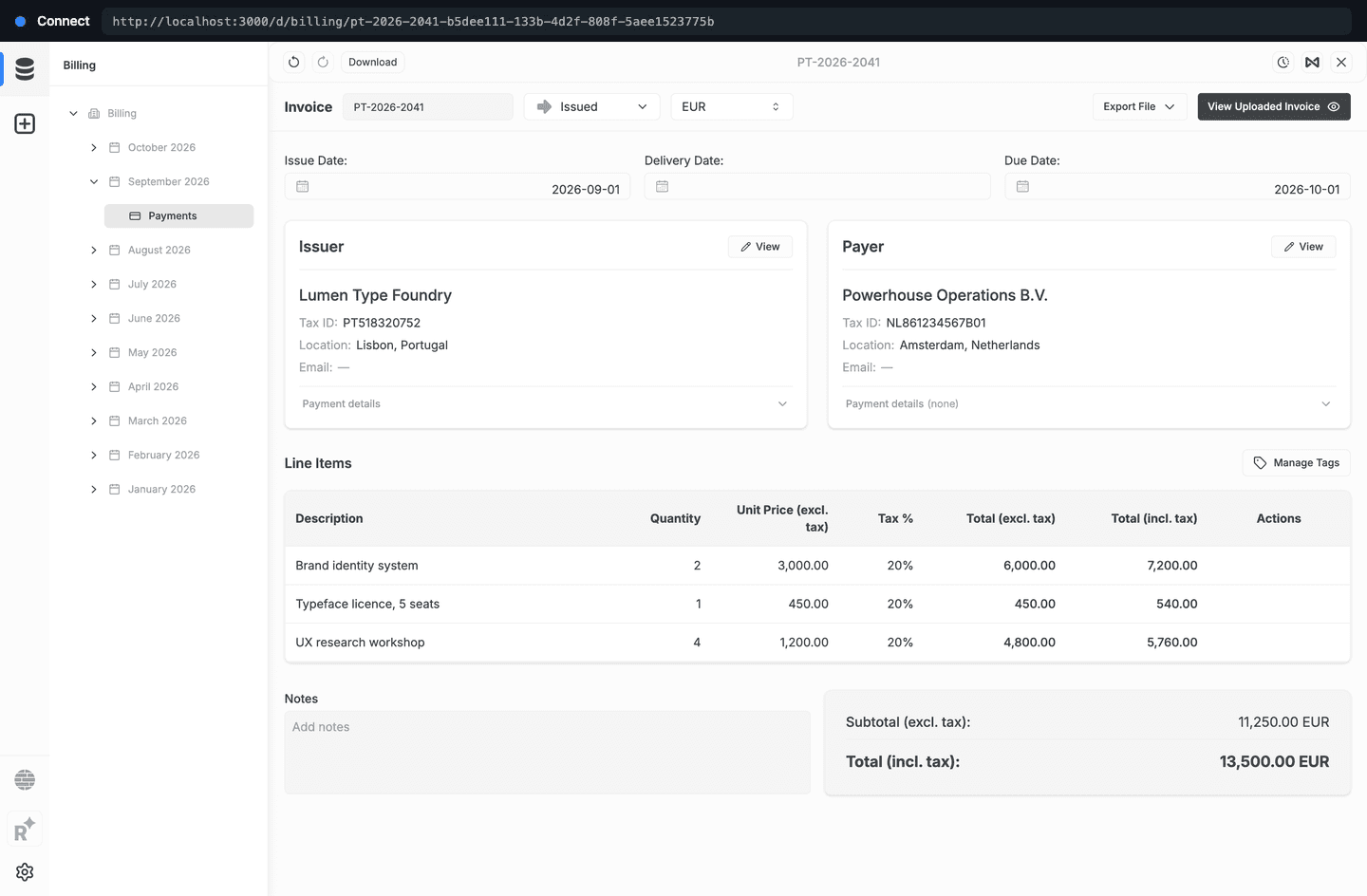
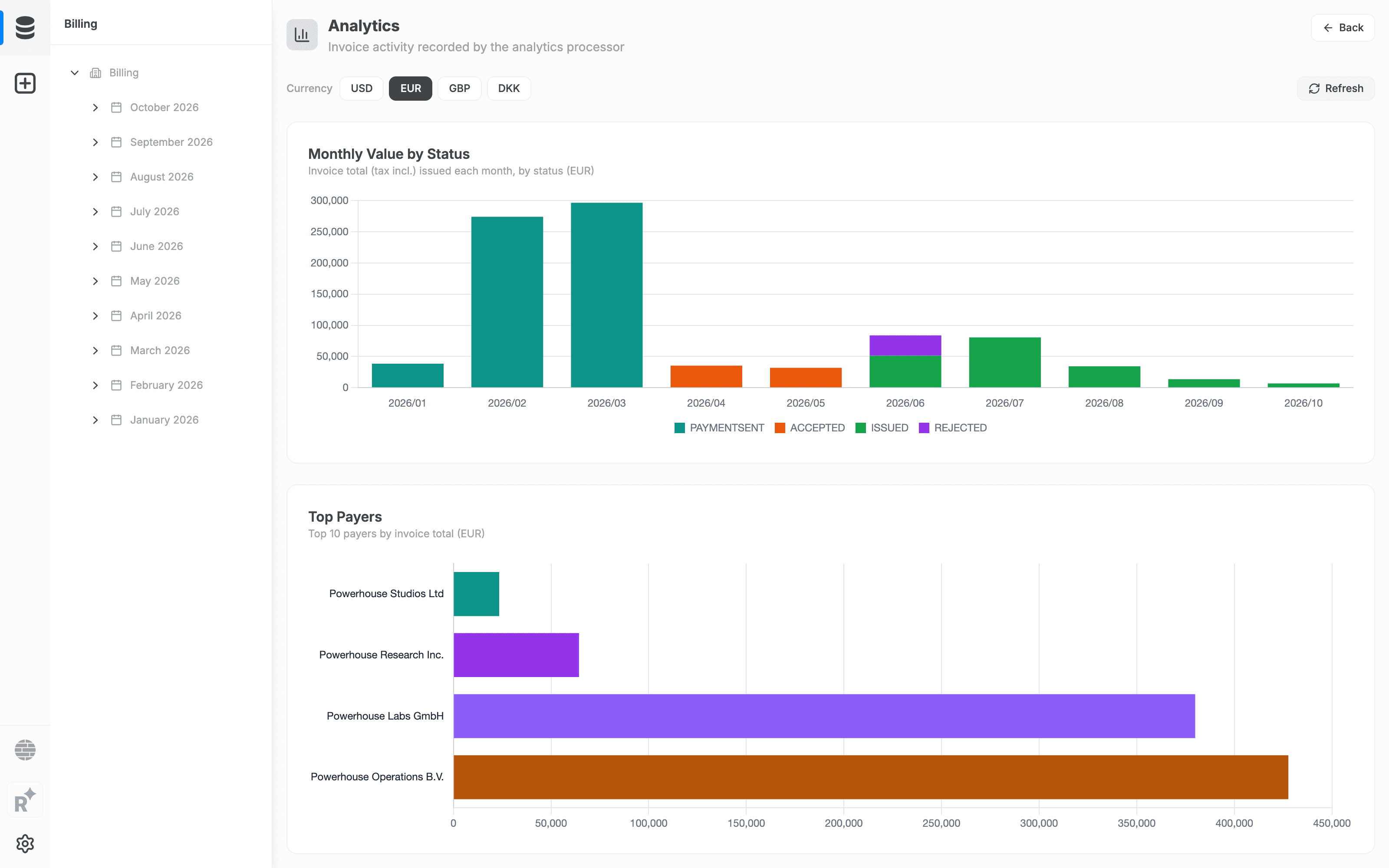
One record, reachable from several places. The archive keeps the original document, and the structured state is available wherever the work happens.
- Connect
- Review and edit the structured invoice in the operator workspace, filed by month in the Billing drive.
- Switchboard
- Query the same state over GraphQL, or over plain HTTP, from any other application.
- Billing dashboard
- Monthly invoice value by status, totals and counts by status, outstanding amounts by due month, and totals across currencies.
Ask Switchboard for the structured invoice
{
  Invoice {
    documents {
      totalCount
      items {
        state {
          global {
            invoiceNo
            currency
            dateDue
            status
            issuer { name country }
            totalPriceTaxIncl
            lineItems {
              description
              quantity
              taxPercent
            }
          }
        }
      }
    }
  }
}
Run it yourself
The example is published as a repository you can clone and run against your own reactor.
What you need
- Docker, to run the example stack.
- An OpenAI-compatible endpoint and API key for field extraction. The example points at OpenRouter by default, and the Anthropic API works without a base URL.
- A Paperless-ngx instance. The example brings its own.
Packages installed
- @powerhousedao/paperless-sync
- The connector: watches Paperless and writes invoice records.
- @powerhousedao/billing
- The invoice document model and its drive app.
Limits worth knowing
- Extraction quality is the model's, not the connector's. Smaller models are noticeably less reliable at the arithmetic on a line-item table.
- The example accepts PDFs only. Office documents and .eml files need the optional Tika and Gotenberg services, which stay disabled to keep the stack light.
- Synchronisation runs one way. Edits made in Powerhouse do not travel back to Paperless.
- The image tag and both package versions form one compatibility set, so move them together.
Start with a workflow assessment.
Find out where Powerhouse can improve operational efficiency. We structure the first workflow before a build starts.
All integrations